Docking mode
Table of Contents
- CHAPTER 1. Introduction
- CHAPTER 2. Quickstart - a practical UnityMol tutorial
- CHAPTER 3. Selection language based on MDAnalysis
- CHAPTER 4. Screen Recording in UnityMolX: Screenshots and Videos
- CHAPTER 5. Keyboard usage
- CHAPTER 6. Python Console in UnityMolX
- CHAPTER 7. Python Scripting Cookbook
- CHAPTER 8. Docking mode
1. Overview
This page presents the implementation of the docking mode for UnityMol, developed by João Rodriguez and Xavier Martinez mostly at Stanford University.
The docking mode is designed to work in VR (although it could be activated in desktop mode with some adjustments).
2. Docking Mode details
The code behind the docking mode uses the AMBER force field and is
designed to work for proteins. A separated thread computes the
potential energy of the system, UnityMol displays the last computed
energy value. The code is in C++ (not yet multi-threaded) but there is
a C# implementation, in case the C++ shared library
(OptimizedNBEnergyCalculation.dll / .so / .bundle) is not found
or does not exist for your platform.
You can find workarounds to make simple ligand molecules work (e.g. change atom names to match AMBER nomenclature) but this would be a coarse energy approximation.
Scale both VdW and electrostatic terms to reduce the impact of one term on the displayed energy by using the UI fields :

By default, all loaded structures take part in the docking. Structures
can be ignored if you set the flag mystructure.ignoreDocking = True.
3. How to activate Docking mode
- Solution 1, using the UI:
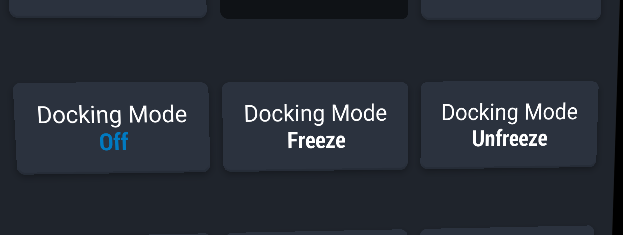
- Solution 2, using the command line:
switchDockingMode()
4. Docking interaction
For performance reasons (Nvidia PhysX engine), only alpha carbons have colliders and bump into each others. You will see red circles around atoms that collide and the VR controllers will vibrate to make you feel the collisions.
Recently, there was an addition for a way to change colliders based on residue names or atom names.
Note that it is still quite hard to slightly move molecules without having a large energy variation and interaction will need to be further improved to tackle this issue.
4.1. Freeze and Unfreeze
The default behavior of the docking mode makes molecules react when you bump them with another molecule. Using the freeze button, you fix the molecules so that when you collide with them, they will not move.
4.2. Custom colliders
Recently (UnityMol 1.1.1), you can create colliders for the docking mode based on atom types or atom names.
4.3. Custom terms
A scaling factor for the VDW term and the electrostatic term can be set from the UI. That is useful if you want to discard one term or make it less prevalent with your system.
4.4. Save docking conformation
You can save the current docking conformation in a PDB file by using the command :
saveDockingState("/path/to/dockingState1.pdb")
Clicking on the UI menu will save the current docking state in a PDB
file named Unitymol_dock_N.pdb where N is the number of existing
files starting with Unitymol_dock_ in
current_user_desktop/UnityMolDocking/.